PC Store Together Guides & Walkthroughs
Build, repair, stock, and grow your shop—solo or with friends.
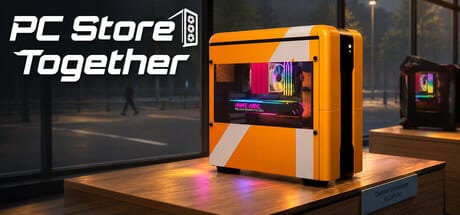
Welcome to the PC Store Together guides hub. This Steam shop sim from Sykes Games and Nightmare Studios dropped on November 24, 2026 (app 4990940, Windows only) with Very Positive launch reviews and full 1–4 player online co-op from minute one. You can also run the store alone. Regular price is $12.99, with a launch −15% intro offer ending December 1, 2026 (~$11.04).
Use this hub as the map for every how-to on the wiki. New players should start with Getting Started, then branch into How to Build PCs, How to Repair, Store Management, How to Play Co-op, and Controls. For patch notes and launch hotfixes, see Updates. For ranking components and upgrades later, bookmark the Tier List.
What you do in PC Store Together
The core loop is deliberate and readable once you see it end to end:
- Build PCs part by part on the workbench.
- Diagnose and repair customer machines instead of guessing swaps.
- Stock shelves, set prices, and serve walk-in demand.
- Expand the floor and unlock higher component tiers through reputation.
Money early is scarce. Put cash into workbenches and capacity before decoration. Diagnose before you replace. Benchmark before you sell. Those three habits separate a tidy first hour from a bankrupt one.
Recommended reading order
1. Getting Started
The Getting Started guide covers day-one setup, how co-op splits roles, where early profit comes from, and the first customer flow. Watch the mid-article video there if you want a visual pass of the opening loop. It is the safest onboarding path if you have never run a PC shop sim.
2. How to Build PCs
How to Build PCs walks the install order that keeps boots clean: CPU → cooler → RAM → motherboard → GPU/storage → PSU → close panel → power on. It also covers the three boot fails you will see constantly—wrong socket, wrong RAM slots, and insufficient wattage—and how to catch them before the customer walks out angry.
3. How to Repair
How to Repair focuses on diagnosis first. Customer machines look like free money until you swap the wrong part twice. Learn the test flow, when a repair beats a full rebuild, and how to keep margins healthy while reputation climbs.
4. Store Management
Store Management ties the floor together: shelf stocking, pricing, expansion, and unlocking component tiers via reputation. Co-op teams especially need one person watching the counter while others live at the benches.
5. How to Play Co-op
How to Play Co-op covers hosting, joining, version checks, region connect fixes, and the post-patch smoke-test. Pair it with Co-op Roles for who owns which job.
6. Controls
Controls explains keyboard, mouse, Full Controller Support, remapping, and shop-floor versus workbench precision—without inventing stale default key charts.
Co-op vs solo
Online co-op (1–4) shines when roles are clear: one host at the counter, one on builds, one on repairs, one restocking. Solo play is fully supported—just sequence tasks so shelves never go empty while a half-built tower sits dark on the bench. Either way, the same mechanical truths apply; only the parallelism changes.
Launch context worth knowing
Hotfixes and a performance update shipped around launch (November 24–25, 2026). If something feels off after a patch, check Updates before assuming your build order is wrong. Community chatter and help live on the official Discord: discord.gg/PmEpG7cM58. Official store page and other outbound links sit on the Links page.
System requirements (minimum)
- OS: Windows 10 64-bit
- CPU: Intel Core i5 2.5 GHz (or equivalent)
- RAM: 8 GB
- GPU: NVIDIA GTX 1060 / AMD RX 6600 XT
- API: DirectX 11
- Storage: 2 GB
Aim above minimum if you host co-op sessions with friends on crowded shop floors.
How to use this wiki
Every guide page aims for practical depth—not filler. Bodies use locale-agnostic internal links with trailing slashes (for example [Getting Started](/guides/getting-started/)). Cross-link sibling guides when a tip belongs elsewhere. Prefer one real YouTube embed mid-article where it clarifies a mechanic. Pair these guides with the Tier List when you start optimizing parts instead of merely surviving the first day.
If you only have ten minutes: open Getting Started, memorize the build order on How to Build PCs, then skim diagnosis rules on How to Repair. Come back to Store Management when shelves and prices start deciding your reputation more than any single tower does.
Related hubs
Frequently Asked Questions
Quick answers for shop owners and co-op crews.
Where should a new PC Store Together player start?
Read Getting Started first, then How to Build PCs. Add How to Repair once customers bring broken machines, and Store Management when stocking and pricing start bottlenecking growth.
Does PC Store Together support online co-op?
Yes. Full online co-op for 1–4 players is available from minute one. Solo play is also fully supported if you prefer running the shop alone.
What is the correct PC build install order?
CPU → cooler → RAM → motherboard → GPU/storage → PSU → close the panel → power on. Wrong sockets, wrong RAM slots, and weak PSUs cause most boot failures.
When did the game release and what does it cost?
PC Store Together released November 24, 2026 on Steam for Windows. Regular price is $12.99; the launch −15% intro offer ends December 1, 2026 (~$11.04).
Where do patches and hotfixes get tracked?
Use the Updates hub on this wiki. Launch hotfixes and a performance update shipped around November 24–25, 2026; check there after each patch before blaming your workflow.